
Keyboard shortcuts
Every key you can press in the replay and the Studio, the command palette, and how to turn single-key shortcuts off.
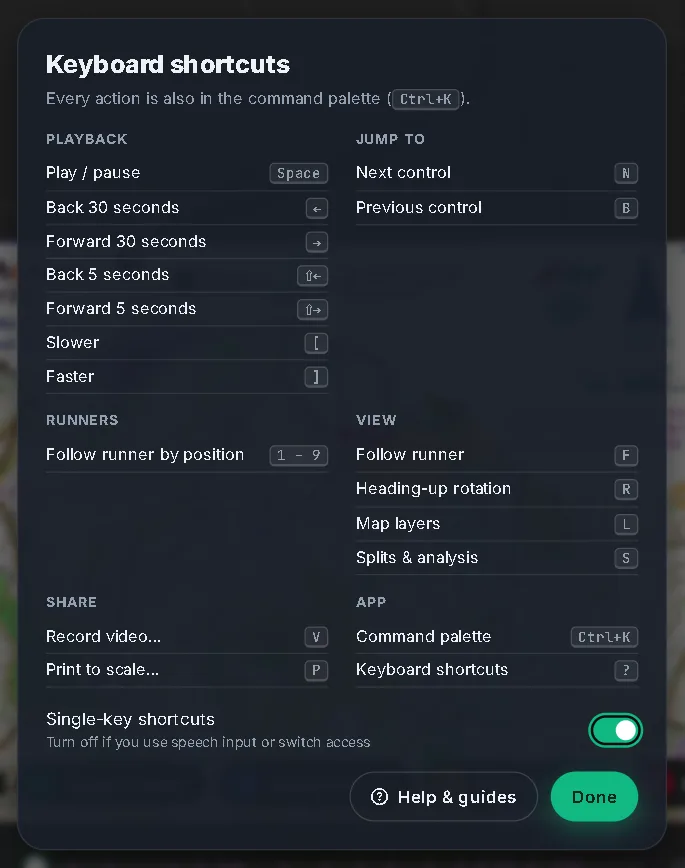
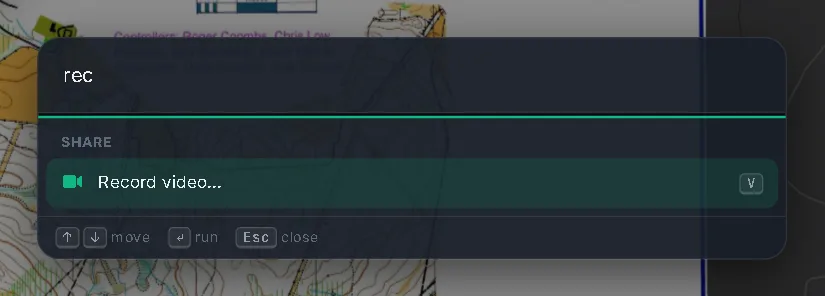
Press ? anywhere to see the shortcuts that work on the screen you are on. Every action is also in the command palette: press Ctrl + K (⌘ + K on a Mac) and type what you want, such as "layers", "record" or a course's name.
On a Mac, read Ctrl as ⌘.
#Everywhere
| Action | Keys |
|---|---|
| Command palette | Ctrl + K |
| Keyboard shortcuts | ? |
| Close the top-most layer: a menu, a panel or a dialog | Esc |
Esc closes the top layer first. On the home page, with nothing open, it then goes back one level: from a replay to the course's page, and from a course, map or account page to Explore. In the Studio it cancels a half-made point pair, and never leaves the Studio.
#Replay
#Playback
| Action | Keys |
|---|---|
| Play / pause | Space |
| Back 30 seconds | ← |
| Forward 30 seconds | → |
| Back 5 seconds | Shift + ← |
| Forward 5 seconds | Shift + → |
| Slower | [ |
| Faster | ] |
#Jump to
| Action | Keys |
|---|---|
| Next control | N |
| Previous control | B |
#Runners
| Action | Keys |
|---|---|
| Follow the runner in position 1 to 9 | 1 to 9 |
#View
| Action | Keys |
|---|---|
| Follow runner | F |
| Heading-up rotation | R |
| Map layers | L |
| Splits & analysis | S |
#Share
| Action | Keys |
|---|---|
| Record video… | V |
| Print to scale… | P |
When the race clock is selected, ← and → move it 5 seconds, PageUp and PageDown move it a minute, and Home and End go to the start and the end.
#Studio
#Tools
| Action | Keys |
|---|---|
| Pan tool | H |
| Match points | P |
| Swipe compare | C |
| Place controls | A |
#Edit
| Action | Keys |
|---|---|
| Map flip at this control | M |
| Show the controls other courses use | O |
| Delete selected | Delete |
| Undo | Ctrl + Z |
| Redo | Ctrl + Shift + Z or Ctrl + Y |
#Files
| Action | Keys |
|---|---|
| Save project file | Ctrl + S |
When you drag the swipe handle with the keyboard, ← and → move it a little, PageUp and PageDown a lot, and Home and End to the edges.
#Turn single-key shortcuts off
Shortcuts made of a single letter, a number, a bracket, ? or Delete can get in the way if you use speech input or switch access. In the shortcuts dialog, switch off Single-key shortcuts. It is remembered in this browser.
With it off, these keep working: Ctrl combinations (including the command palette), Space, the arrow keys, Esc, PageUp, PageDown, Home and End. Everything is still in the command palette.
Shortcuts are also ignored while you type in a box, and while a dialog is open (except Ctrl + K). If a button has the focus, Space and Enter press that button.
#The mouse and touch
- Double-click the title at the top left of the replay to fit the whole course.
- Click or drag the race clock to jump. Hover over it to see the time and the leg.
- Click a runner to follow them. Drag the map to take control of it.
- On a phone, the list on the home page is a sheet: drag its handle or the search bar to change its height, or tap the handle to switch between peek and half.
- In the Studio, drag a pin to move a point, the scan window by its title bar, and the white handle in swipe compare.