
Splits and analysis
Leg times, time lost, a timeline and a time-behind-the-leader chart, for every runner in the replay.
Press S in the replay, or choose Splits & analysis on the leg card, to open the analysis sheet. It needs a course with controls and at least one track. With two or more runners it has three tabs: Splits, Timeline and Time behind.
#Splits
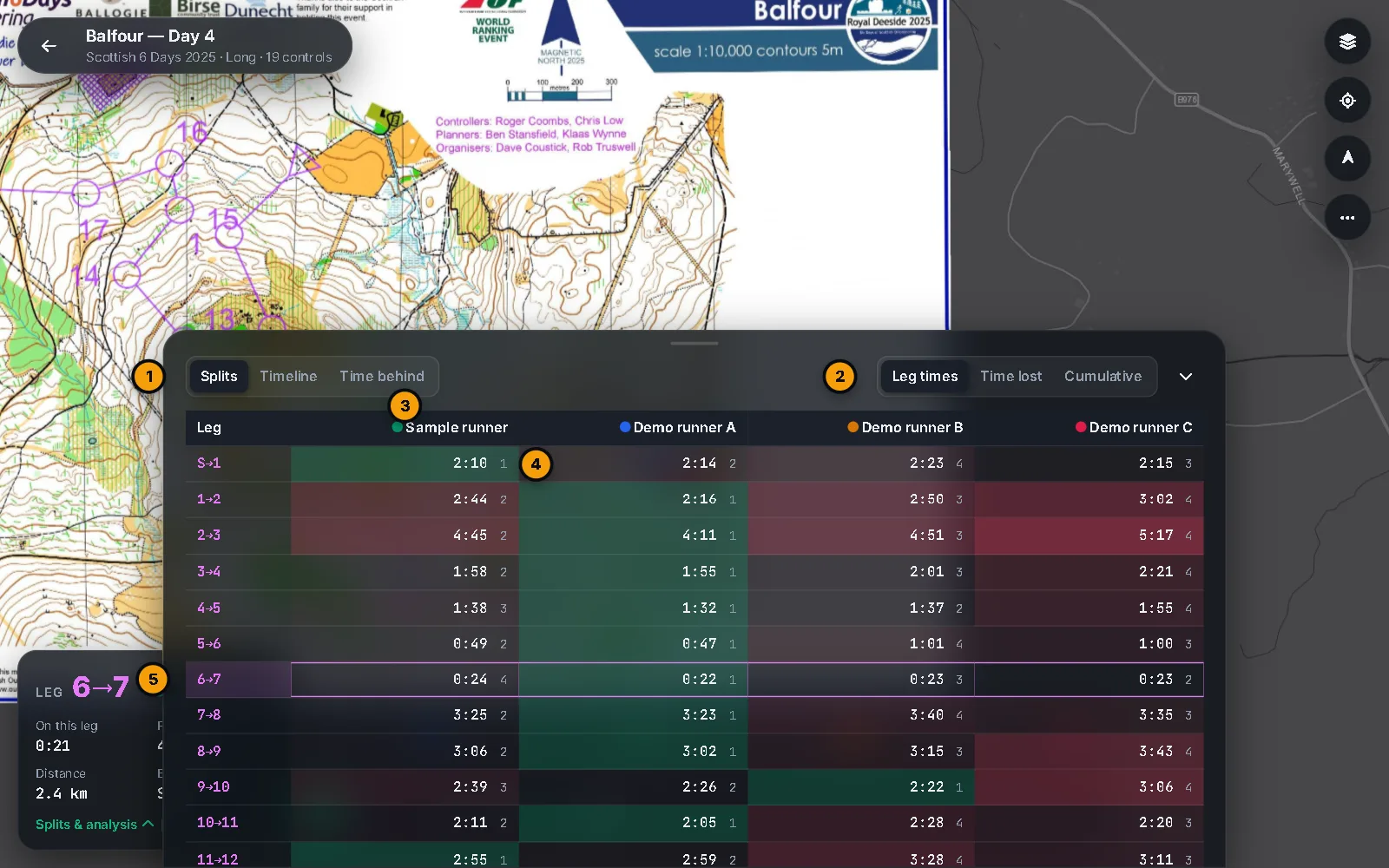
There is a row for each leg and a column for each runner. Choose what the table shows:
- Leg times gives each leg's time, with a small number for the rank on that leg (1 is fastest).
- Time lost gives each runner's leg time minus the fastest time anyone ran on that leg. The fastest shows 0:00 and everyone else shows +m:ss. This compares the runners in this replay, not a personal best, and it does not allow for route choice.
- Cumulative gives the time from that runner's own start to each control.
With two or more runners the fastest leg on each row is tinted green, and slower legs are tinted red in proportion to the time lost (the strongest red is 90 seconds or more). A — means the runner missed a control on that leg.
The row for the leg the runner you follow is on is highlighted and moves as the replay plays. Click a row to jump the replay to the start of that leg.
#Timeline
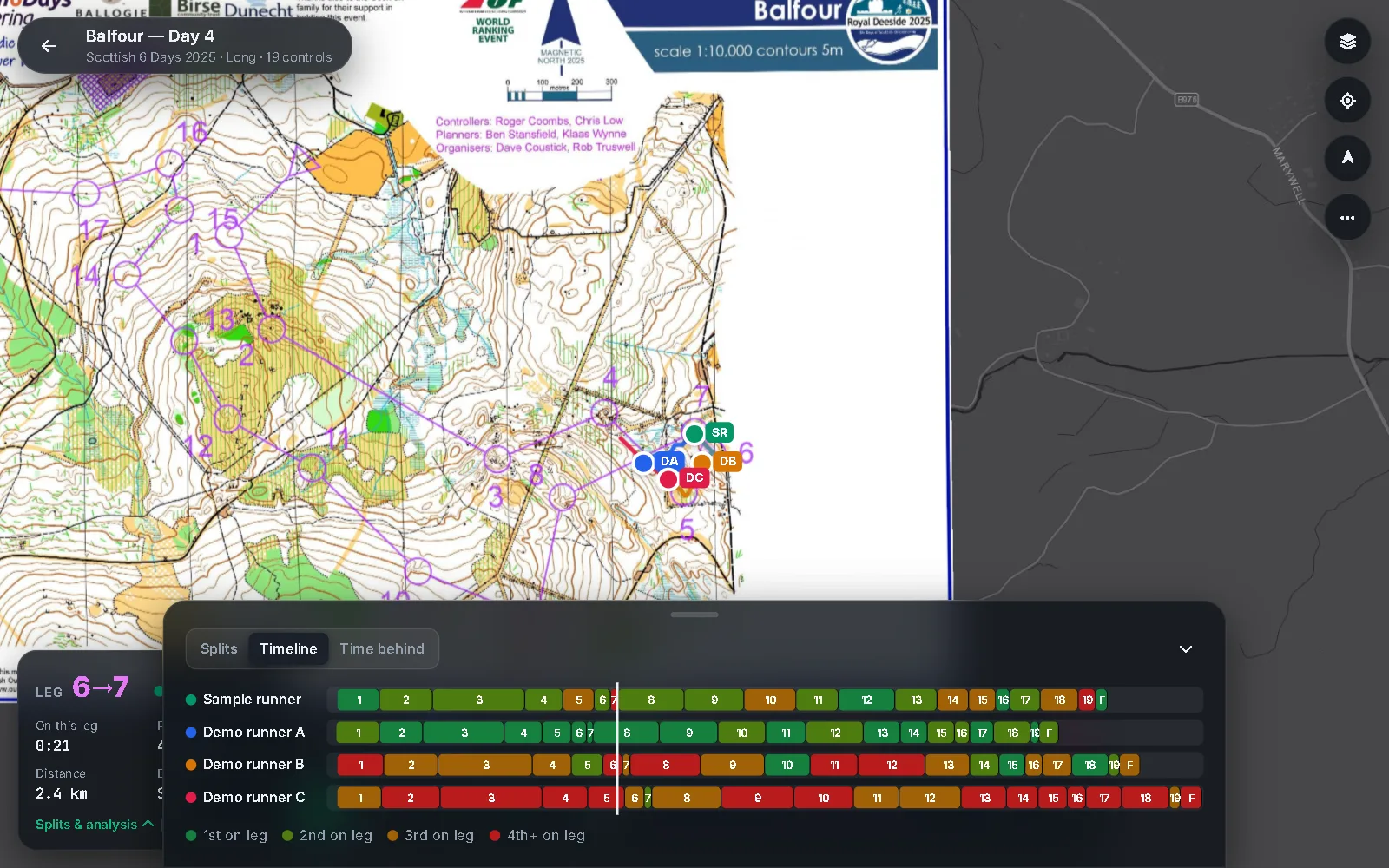
One lane for each runner, on the same clock as the replay. Each block is a leg: where it sits and how wide it is show when it started and how long it took, and its label is the control it ended at. A gap means a missed control.
The colour is the runner's rank on that leg: dark green for 1st, olive for 2nd, amber for 3rd and red for 4th or lower. Hover a block for the runner, the leg, the time and the rank. A line follows the replay clock. Click a lane to jump there and follow that runner.
#Time behind
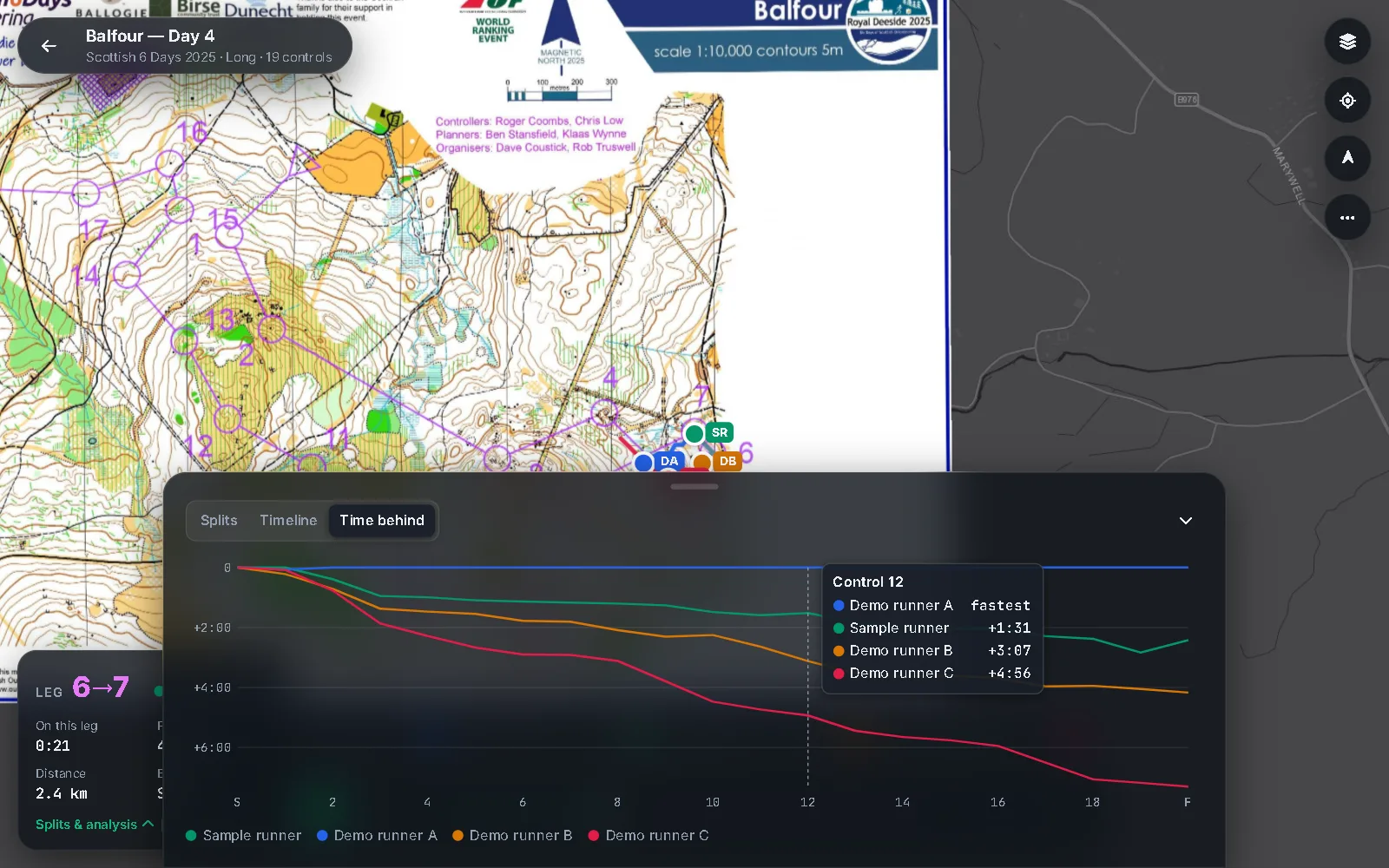
A line for each runner, in their colour. Along the bottom are the start and each control. Going down means more time behind the fastest total time at that control, so whoever is fastest at a control sits on the top line. The chart is at least 60 seconds tall.
Move over the chart to see a crosshair and a list of every runner's gap at that control, from the leader down. Click to jump the followed runner to that control. A line breaks where a runner missed a control.
#How a punch is found
For every runner, oSplit walks the course in order. A control is punched when the runner's track comes within 40 m of it, using the closest point of the visit. A control that the track never comes near counts as missed. After you add tracks, a message tells you how many runners missed something.